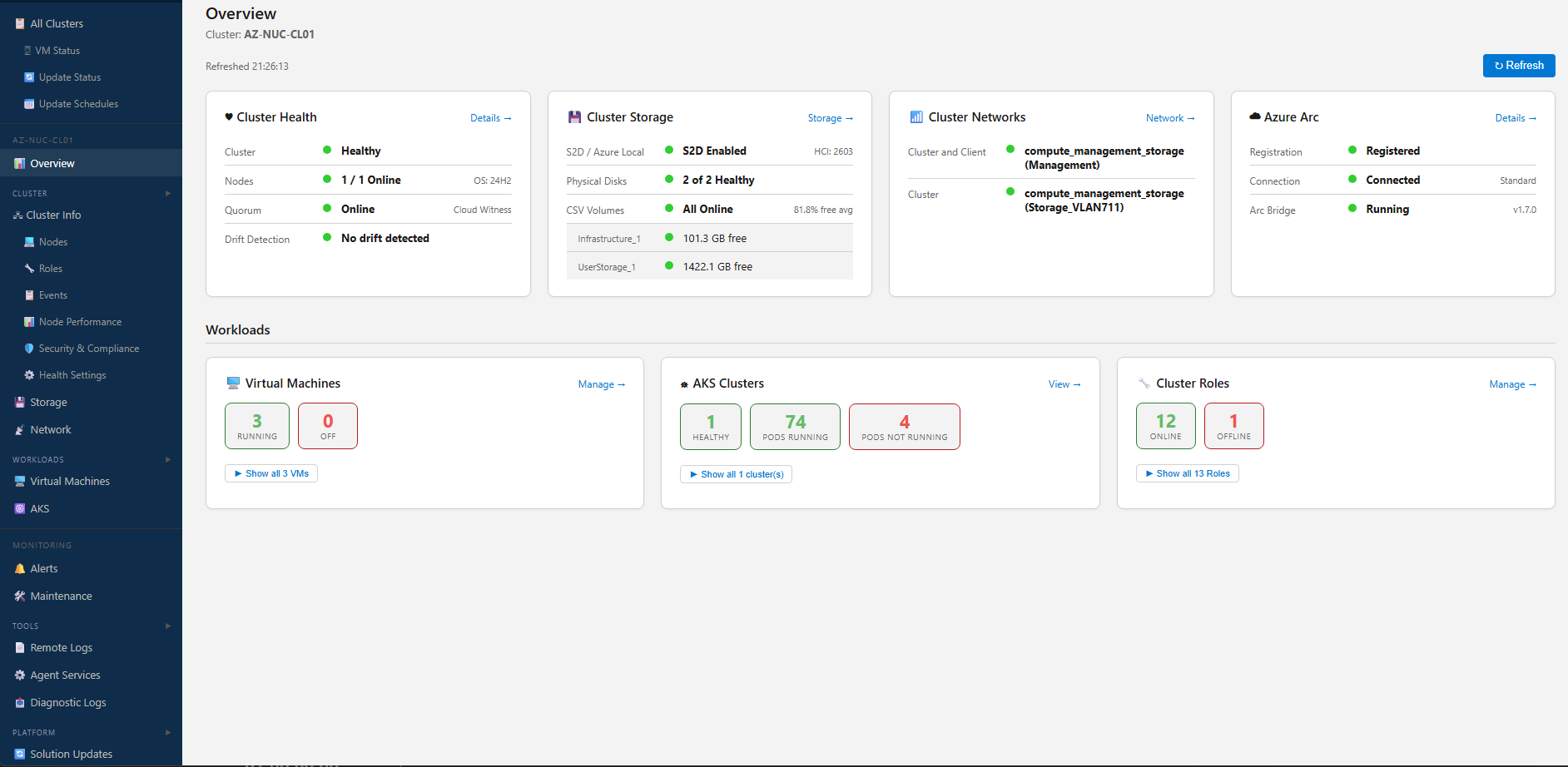
The web-based management experience for Azure Local clusters is now available in Public Preview.
After sharing an early look at the Azure Local Cluster Tool, I’m excited to announce that the web experience has now reached Public Preview. This release brings together core day-to-day operations, deeper visibility across cluster health and performance, and a growing set of admin and RBAC capabilities in a single browser-based interface built for Azure Local environments. It has been shaped by real-world deployment and management experience, with a strong focus on the operational needs that emerge when running Azure Local at scale.
Public Preview is an important milestone because it moves the tool from “coming soon” to something operators can actively explore, test, and use to simplify real operational workflows. Since the initial announcement, the platform has gained major improvements across performance views, cluster insights, VM operations, Estate management, update orchestration, Azure Arc visibility, and role-based access control. The result is a much more complete management surface for administrators who need speed, clarity, and control across one or many Azure Local clusters. Just as importantly, the direction of the product has been informed by practical lessons from deploying, operating, and troubleshooting Azure Local environments in the real world.
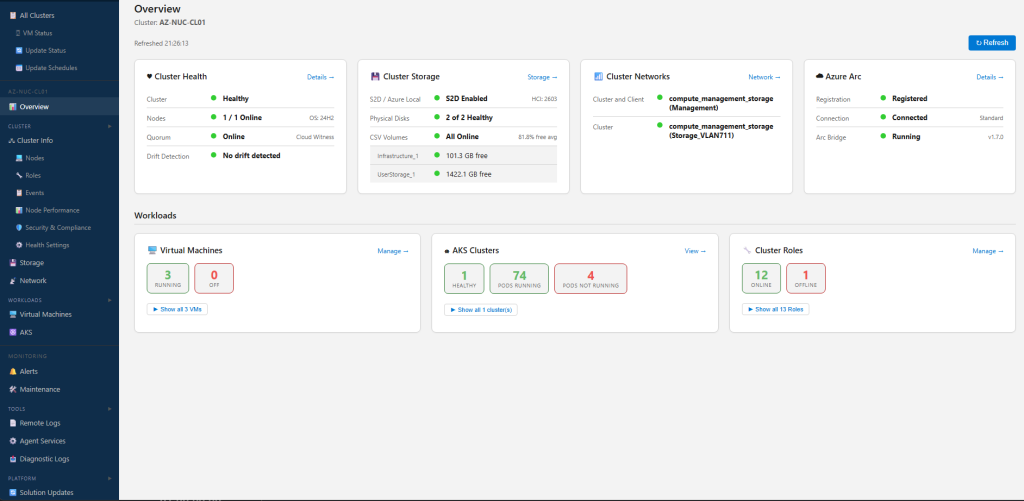
What’s in Public Preview
The Public Preview delivers a broad management experience for Azure Local administrators. From a single interface, you can work across cluster overview and health, nodes, virtual machines, storage, networking, events, update workflows, Azure Arc-connected resources, AKS management experiences, diagnostic data, and fleet-wide views. Just as importantly, the experience continues to evolve around practical operational needs surfaced through real testing and feedback.
Key highlights in this Public Preview release
Recent releases have added a substantial set of capabilities that make the preview far more powerful and production-relevant for evaluation.
Richer performance visibility
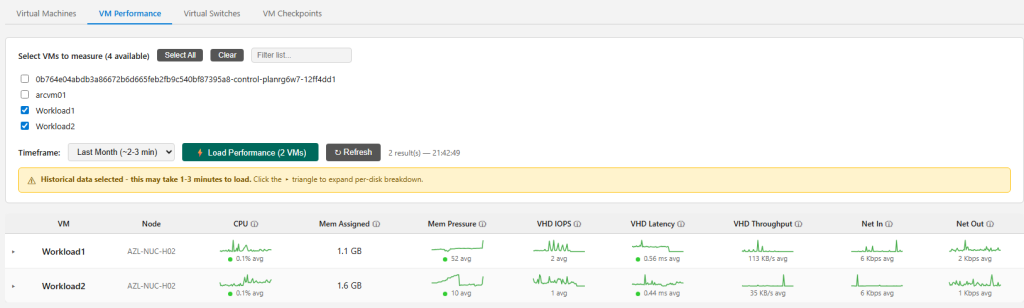
The latest preview introduces a significantly improved performance experience. Storage Performance now includes a timeframe selector with options such as Most Recent, Last Hour, Last Day, Last Week, and Last Month, along with an explicit Load Performance action. Historical views now include sparklines for IOPS, Latency, and Throughput, making it easier to spot trends instead of relying on point-in-time values alone. Node Performance is also now directly available from the sidebar navigation, making one of the most useful diagnostic experiences faster to access.

Smarter VM and cluster operations
Virtual machine management has expanded well beyond basic actions. The preview now detects unclustered VMs and clearly flags them so operators can quickly identify workloads that are missing failover protection, with an Add to Cluster action to remediate them. DDA-enabled VMs are also identified so migration constraints are immediately visible. On top of that, live state tracking keeps VM actions intuitive, while global search makes it much easier to jump directly to clusters, nodes, and VMs from anywhere in the app.
Solution Update management and scheduling
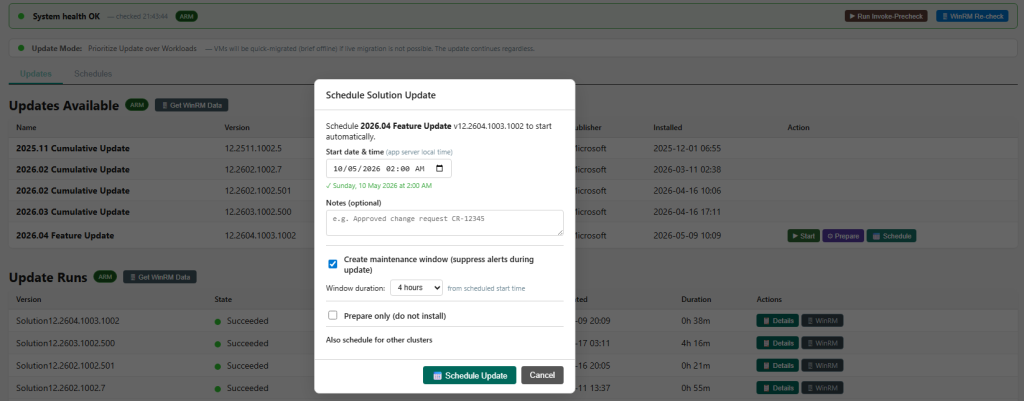
One of the biggest differentiators in this preview is Solution Update management and scheduling. This is a major operational gap in many environments today, and the tool is designed to make it far easier to see available updates, understand state, review run progress, and schedule updates for the right time instead of handling everything manually. With scheduled solution updates, Fleet Schedules, live state visibility, and broader update workflow support, administrators get a much more practical way to coordinate lifecycle management across clusters without relying on fragmented processes.
Alerting, maintenance mode, and operational control
Another major part of the story is operational awareness and control. The tool includes a configurable alerting engine with threshold-based rules, cooldown handling, alert history, acknowledgement, and delivery through Teams webhooks or SMTP email. It also supports maintenance windows so planned work can be carried out without creating unnecessary noise, helping teams separate expected change activity from issues that genuinely need attention. For day-to-day operations, that makes the platform much more practical than relying on scattered scripts, inbox rules, and manual monitoring checks.
Stronger admin, RBAC, and access controls
Administration has been a major focus of the preview. The access model has been simplified around a two-group Entra design, while custom RBAC continues to provide fine-grained control over what users can see and do. Administrators can now clone custom roles, search Entra groups more reliably, configure the Entra app client secret through settings, and benefit from clearer guidance when group assignments or enterprise app configuration would otherwise prevent access from working as expected.
The preview also keeps expanding its fleet and lifecycle management story. Features such as Fleet Status, Fleet VM Status, Fleet Update Status, scheduled solution updates, Daily Health Digest, and broader Azure Arc integration help move the tool beyond cluster-by-cluster administration into something much more useful for larger estates and distributed environments. Snapshot-based views and the background collector model also mean many high-value pages load quickly without requiring a live connection every time, which makes the experience more scalable and far more usable in real operational conditions.
Built for deeper platform visibility
One of the biggest strengths of the Azure Local Cluster Tool is that it is not limited to a narrow VM-only experience. The Public Preview continues to bring together operational context across the full Azure Local stack, including AKS on Azure Local management, so administrators can understand what is happening quickly and act confidently across both infrastructure and Kubernetes workloads.
- Cluster health and configuration: summary cards, health status, quorum, VM load balancer settings, and cleaner Cluster Info presentation
- Performance diagnostics: node and storage performance views designed for both current and historical analysis
- Storage and networking insight: volumes, pools, disks, cluster networks, logical networks, SMB health, ATC visibility, and related platform detail
- Events and diagnostics: centralized event visibility, diagnostic logs, remote log viewer access for browsing and tailing logs from cluster nodes, and faster troubleshooting workflows
- Hybrid platform and AKS visibility: Arc resources, platform topology, custom location inventory, AKS cluster management, log reading, node and pod views, describe output, GitOps visibility, and broader ARM-sourced context for hybrid operations
- Alerting and operational safeguards: configurable alert rules, maintenance windows, alert history, acknowledgement flows, and notification delivery through Teams or email
- Service and platform operations: visibility into agent services, health-related status, and supporting components that matter during troubleshooting and platform administration
- Estate-wide operations: views and workflows that make multi-cluster environments easier to monitor and manage
Taken together, these capabilities help reduce context switching, shorten investigation time, and make the tool more useful during both routine administration and troubleshooting scenarios across infrastructure, virtualization, and Kubernetes workloads.
Polished through real-world feedback
Public Preview is not just about adding features. It also reflects a lot of engineering work to improve consistency, responsiveness, and trust in the experience. Recent releases include better card styling across Cluster Info, more reliable retry behaviour when performance history is still initializing, corrected rendering issues, improved confirmation flows for destructive actions, and multiple fixes that improve the reliability of background polling and WinRM session handling.
- Clearer and more consistent UI patterns across pages
- Safer action flows with broader confirmation coverage
- More reliable background polling and session reuse
- Better handling of edge cases during initialization and refresh
- Improved navigation so high-value pages are easier to reach
Documentation and API maturity continue to improve
Alongside the product itself, the supporting documentation has grown significantly. The user guide now covers areas such as Health Settings, Security & Compliance, Node Performance, Diagnostic Logs, Platform Topology, All VM Status, All Update Status, Update Schedules, and Reports. The API documentation has also been updated with clearer error handling guidance. Combined with continued refinement of alerting, maintenance workflows, and background collection, that makes the preview more useful not only for operators, but also for teams integrating or standardizing around it.
Watch the Public Preview in action
To accompany the Public Preview launch, there will also be a short YouTube video walking through key capabilities and showing the experience in action. It will highlight some of the most useful features across performance views, VM operations, AKS management, fleet management, and the broader day-to-day admin workflow, including areas like reading logs, viewing nodes and pods, checking describe output, and exploring GitOps visibility.
Try the Public Preview and share feedback
The Azure Local Cluster Tool (Web) Public Preview is a major step forward from the original coming-soon announcement. It already delivers meaningful value for administrators who need a faster, more unified way to operate Azure Local clusters, and it now has the breadth to support much deeper evaluation across real-world environments.
If you manage Azure Local infrastructure, now is the perfect time to explore the Public Preview, watch the quick highlights video, and see how the tool can simplify cluster operations, troubleshooting, and fleet visibility.
I’d love to hear your feedback as the preview continues to evolve. Your input will help shape the roadmap, refine the experience, and prioritize the next set of capabilities on the path to general availability.
Head on over to https://github.com/jasontayler/AzureLocal-ClusterTool-Web-Releases download the zip file and install it for yourself.
No responses yet