A faster, unified way to manage Azure Local clusters
Managing Azure Local environments often means juggling multiple tools, consoles, and scripts just to get a clear picture of cluster health and day-to-day operations. That’s about to change.
I‘m excited to announce the Azure Local Management Tool—a new, web-based management experience designed to simplify how you operate one or many Azure Local clusters from a single interface. Built for administrators who value speed, clarity, and control, this tool brings together operational visibility and safe, role-based actions in one place.
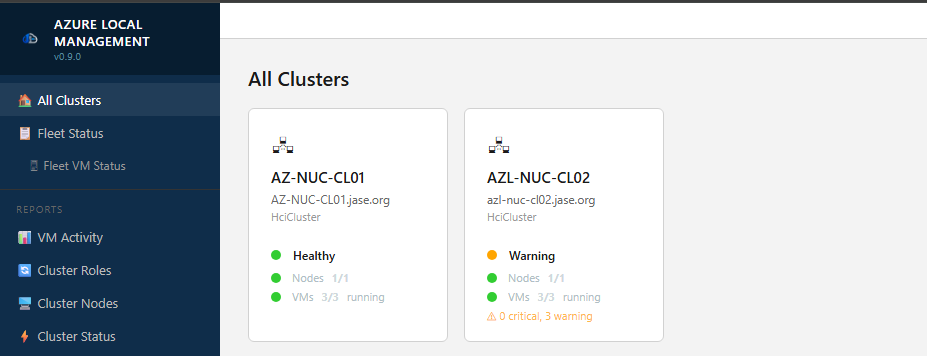
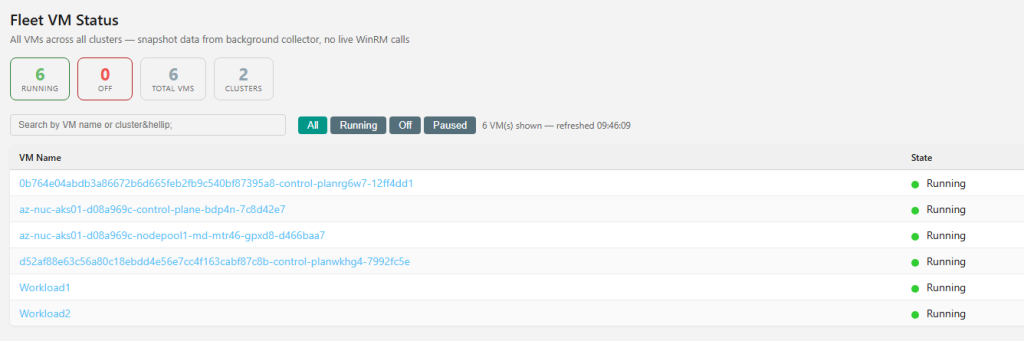
A single pane of glass for Azure Local
The Azure Local Management Tool provides a comprehensive view of your environment, whether you’re managing a single cluster or operating at scale across multiple sites.
Core management capabilities
The initial release focuses on the operational task’s administrators perform every day:
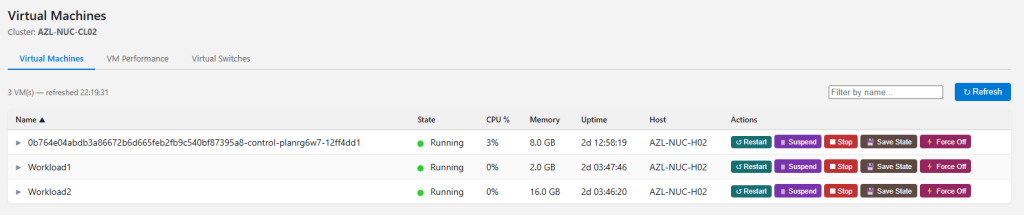
Virtual Machines
Quickly list and control virtual machines, including start, stop, force stop, restart, suspend, and live migration operations. These actions are logged for full traceability.
Cluster Nodes
View live node statistics and perform common maintenance actions such as pause/drain, resume, and failback—all from a centralized interface.

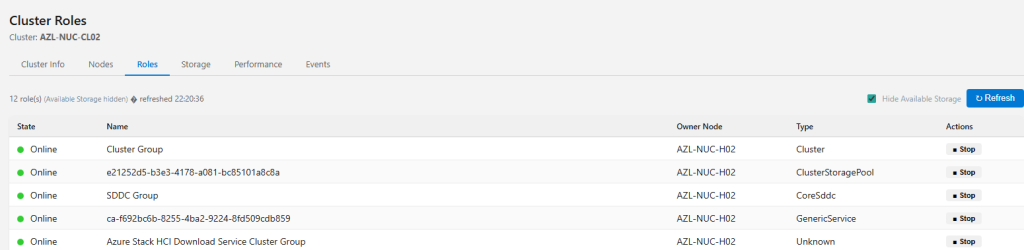
Cluster Roles
Manage cluster roles with confidence: list roles, start and stop services, and move roles between nodes for controlled failover scenarios.
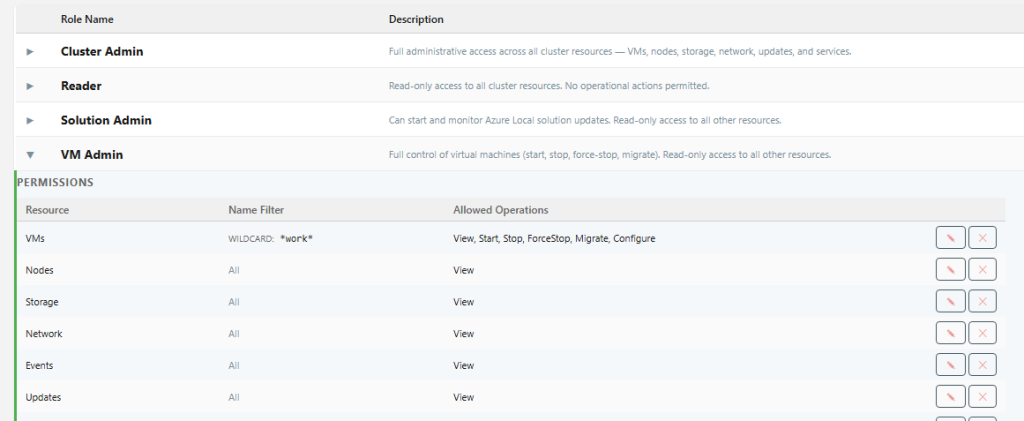
Fine Grained Roll Based Access Control
RBAC on Roles, Services Virtual machines is almost impossible from the Azure local / Windows side with the fine grained access controls, Lock down your users to only see or perform the actions they need to. With support for wildcards or regex available.
Deep visibility across your Azure Local stack
Beyond core compute and cluster operations, the Azure Local Management Tool delivers insight across storage, networking, and platform services:
- Cluster health and configuration: quorum status, Storage Spaces Direct (S2D) state, and health faults at a glance
- Storage: pools, virtual disks, physical disks, and Storage QoS volumes
- Networking: physical adapters, ATC intents and status, cluster networks, logical networks (ARM-sourced), and SMB health
- Events: a centralized cluster event log with CSV export for offline analysis
- Remote log viewer: Browse and read log files directly from cluster nodes without leaving the UI, exposes common logs needed to troubleshoot deployment, arc agent, arc extensions etc.
All of this information is designed to be accessible without sacrificing performance or clarity.
Azure Arc–aware by design
As Azure Local environments continue to integrate more deeply with Azure, this tool brings first-class visibility into Azure Arc–enabled resources, including:
- Azure Arc registration status
- Arc-enabled machines and extensions
- Cluster extensions
- Arc Resource Bridge appliance status and Azure Local Sites
- ARM-sourced custom location inventory
This ensures operators can understand both on-premises state and Azure control-plane integration from one experience.
Built for secure, multi-cluster operations
Security and governance are core design principles:
- Microsoft Entra ID single sign-on for authentication
- Entra security groups with fine-grained custom RBAC, scoped per resource type
- Full audit logging of all mutating operations, with CSV export and log retention controls
- Encrypted application settings, including ARM authentication mode and service principal credentials
Multi-cluster CRUD management is built in, making the tool suitable for lab, production.
Modern, supported technology stack
The Azure Local Management Tool is built using a modern Microsoft-aligned stack
This architecture balances performance, security, and long-term maintainability.
Coming soon — request early access
The Azure Local Management Tool is coming soon, with active development focused on polish, stability, and real-world operational feedback.
To request early access:
- Submit the form below to register your interest to discuss onboarding and availability
- Share your environment size (single cluster or multi-cluster) and use case
- Get access to preview builds and upcoming features
Early Access Request for Azure Local Management Software – Fill out form
Your feedback during early access will directly help shape the final release.
No responses yet